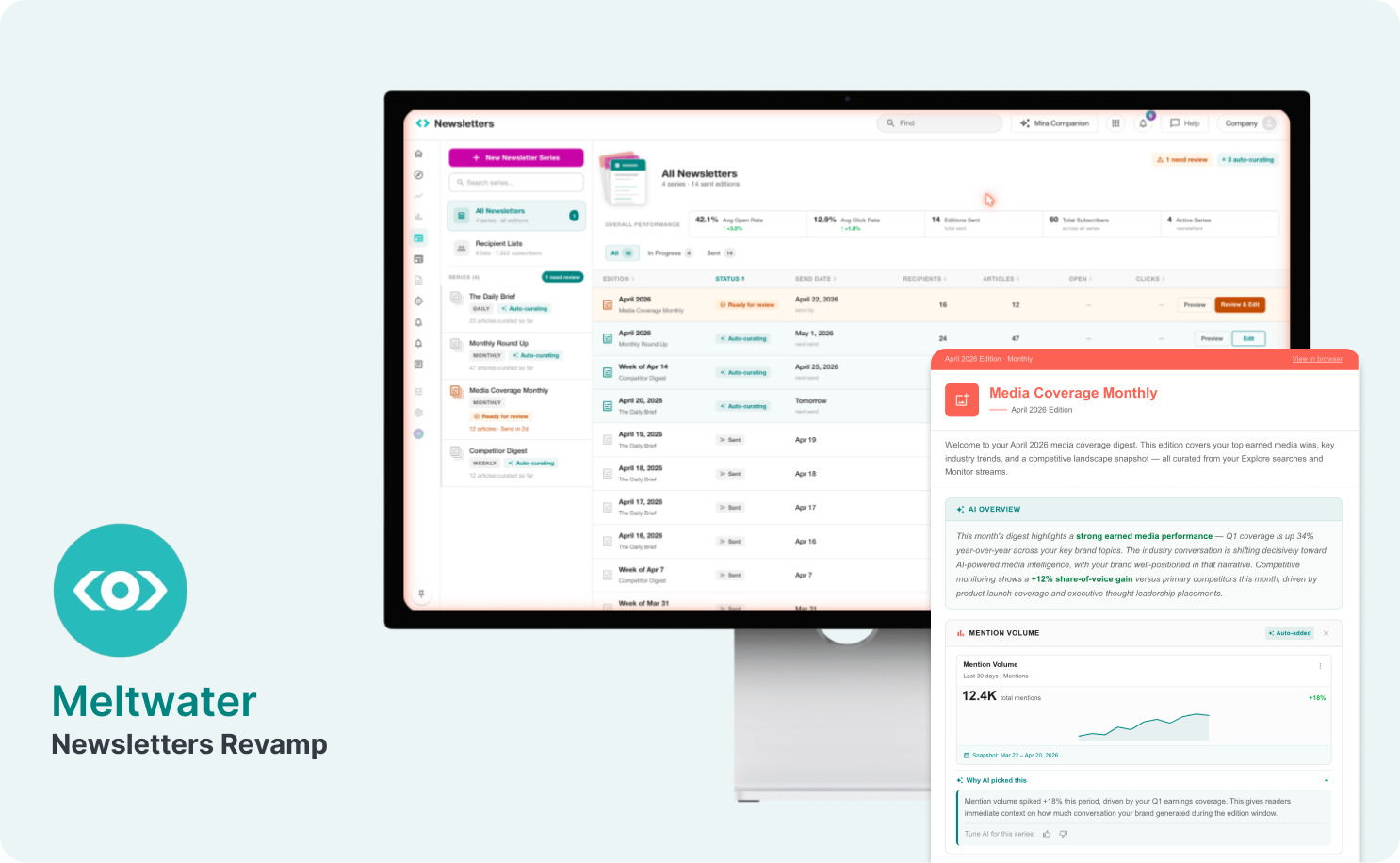
Evolving Meltwater Newsletters into an AI-First Curation Engine
From fragmented manual workflows to a unified, AI-driven system that generates, reports performance, and auto-improves over time.
The problem
Meltwater is a media intelligence platform (300K+ news sources, 200B+ social conversations). Users discover insights across Explore, Monitor, Analyze, and Alerts — but when distributing them via newsletters, the workflow breaks. No surface talks to the newsletter editor. There is no AI bridging content discovery and narrative creation.
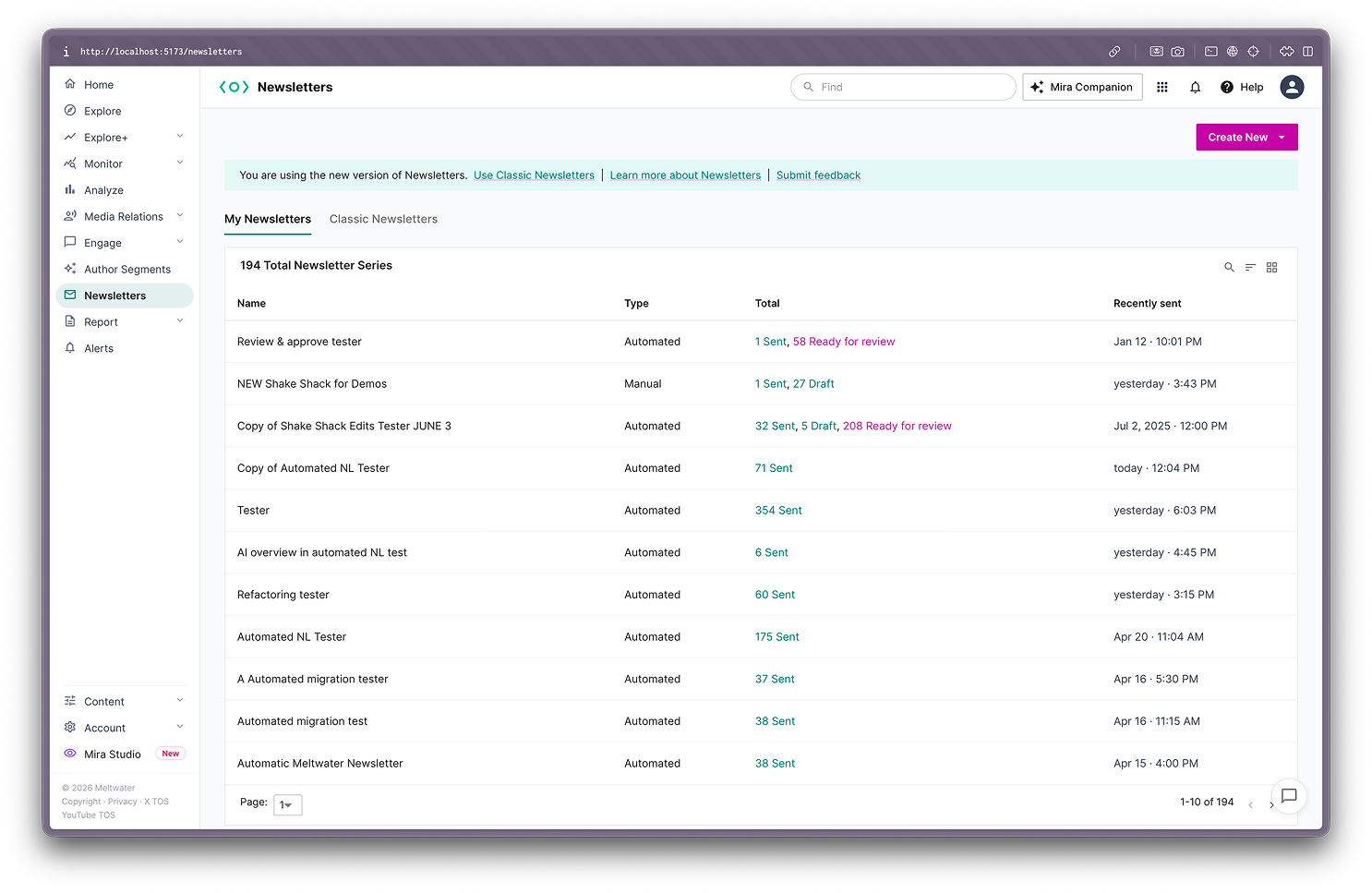
Users send recurring editions of existing newsletter series — not new ones. Yet the product emphasizes creation over curation, and isolation over integration.
What Users Told Us
Synthesized from Productboard feedback (90-day window, 6,500+ customer calls):
Top Pain Points — by frequency from customer feedback- Template and formatting reliability (~18–22 mentions) — Logos cut off, social icons missing, fonts changing after send, preview not matching final email. The single largest cluster, and a trust-killer for client-facing work.
- Analytics and metrics gaps (~9–11 mentions) — No cross-newsletter analytics, no readership stats, no bounce/open/click visibility. Customers wanted newsletters to double as mini performance reports.
- Workflow friction and usability (~7–9 mentions) — e.g. Save vs. Send buttons too similar (causing accidental sends), repetitive setup, no clear progress state across drafts.
- Metrics embedded in newsletters (~6 requests) — article counts, AVE on cards, media exposure over time.
- Higher article limits and syndication support (~4 requests) — agency workflows needing 100+ mentions per section.
- Automation enhancements (~5 requests) — AI summaries, custom date ranges, multi-user approval flows.
Competitive Landscape
I benchmarked Meltwater against two key competitors to understand where the experience gap was widest:


The Design Process
Step 01Research & Gap Discovery
Analysed 90 days of Productboard feedback from customer interviews, customer workshops, and CS submissions via Slack. The feedback was then clustered thematically to identify structural patterns rather than individual complaints. This surfaced the three major pain-point clusters and revealed that newsletters are valued but have significant room for improvement.
Step 02Gap Analysis & Opportunity Mapping
Mapped every workflow gap across the platform. This produced the strategic framework that drove all subsequent prototyping.
Step 03Information Architecture & Initial Wireframing
Some initial prototypes were presented to stakeholders and clients, where we got initial feedback. During those conversations, it was clear that the information architecture needed to be more action-oriented — to feel more like an inbox/outbox model rather than a library of newsletters. With that, three different approaches were mocked with the help of Lovable and Claude.
Step 04Functional Prototyping in React
Built a working React prototype (React 19, Vite 7, MUI 7) comparing three newsletter-page approaches: table layout with filter bars, status pills, hover-triggered inline actions. Each approach was a distinct route, testable independently. Ran through usability testing via Maze to validate patterns with real users.
Step 05Heuristic Analysis and User Testing
After prototyping, Claude was very useful in conducting a formal UX heuristic evaluation comparing all three approaches against established usability principles. This, alongside user testing, moved the team from subjective preference to structured assessment.
Step 06AI-First Entry Point Prototyping
Used Claude as a real-time design partner to prototype directly in Figma via the Plugin API. I described UX patterns and referenced existing frames for consistency; the AI generated plugin code to build frames. I reviewed, critiqued, and iterated — often 3–4 variations per session. Every design decision was mine; AI accelerated execution.
The final product
The live prototype (React 19, Vite 7) brings together all research, IA strategy, and AI design principles into a cohesive, functional product. Below is a walkthrough of each major screen and how it addresses the identified gaps.
All Newsletters Overview
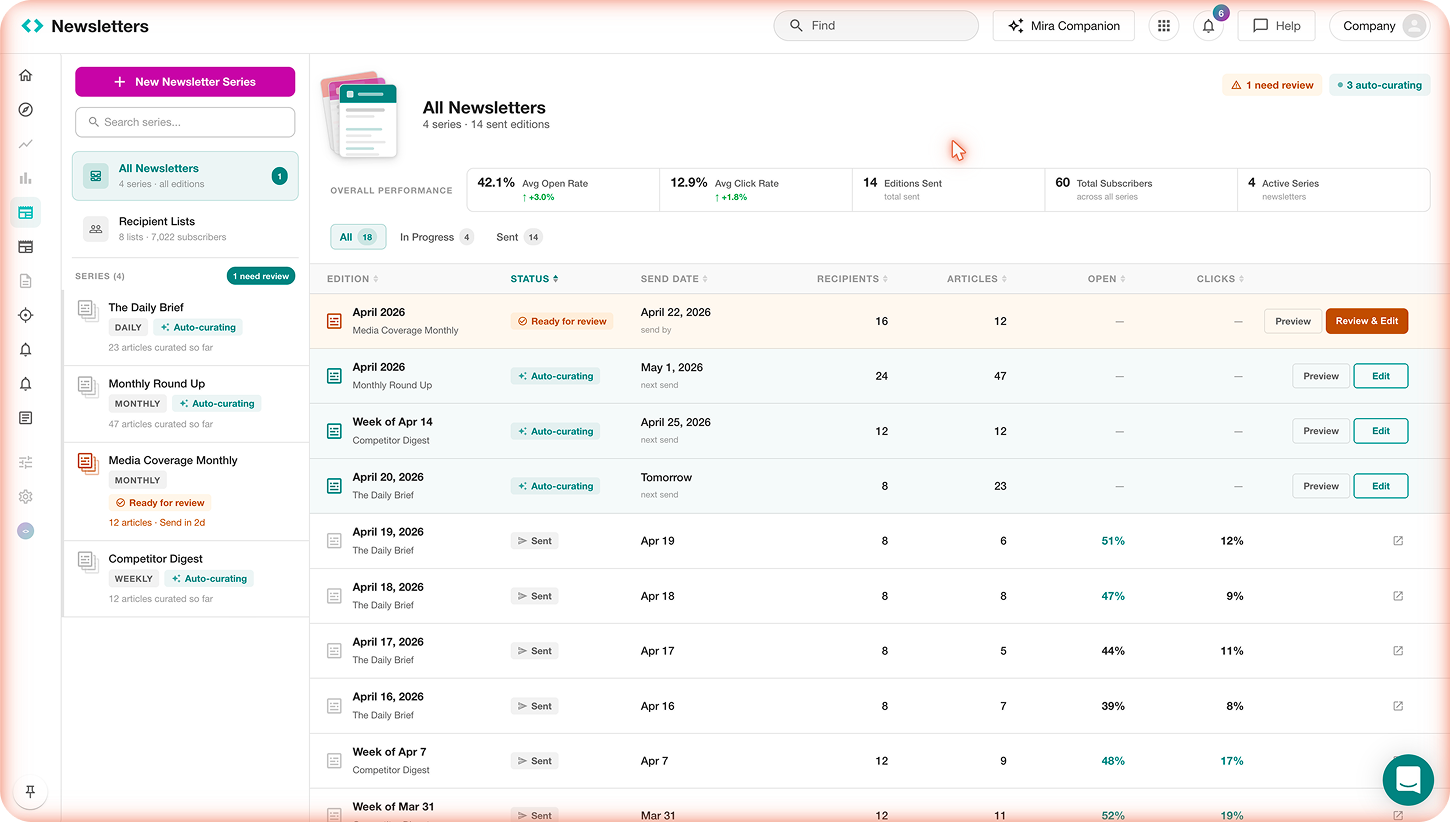
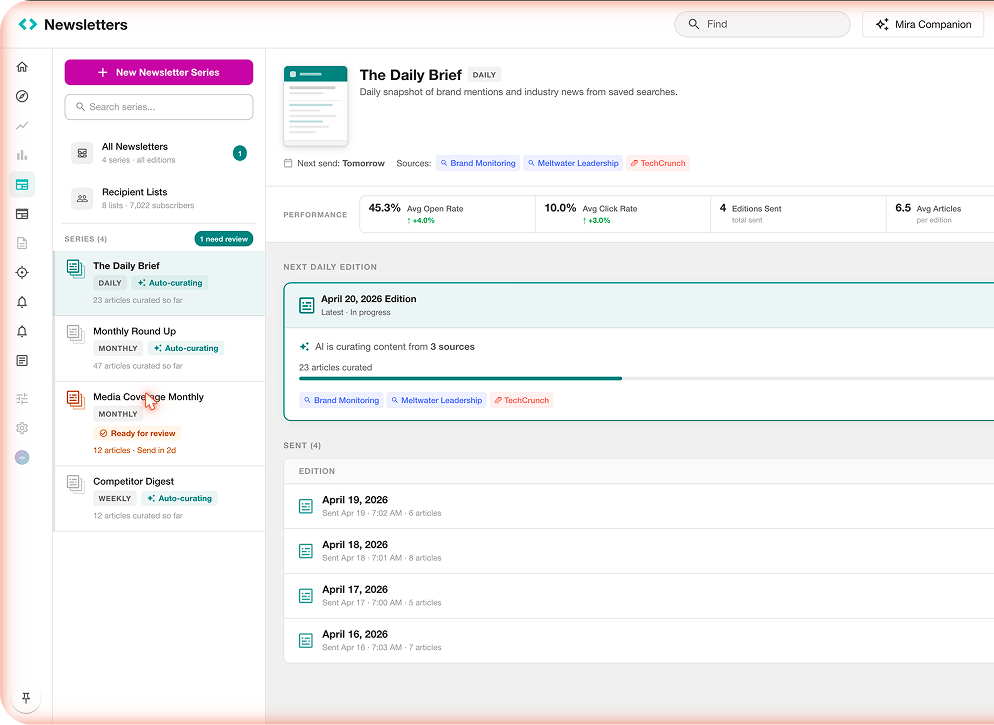
The landing page replaces the legacy card-grid view with a series-first, action-oriented layout. A left sidebar organizes all series with frequency badges (Daily, Monthly, Weekly) and live AI status labels (“Auto-curating” with a sparkle icon). The main area shows overall performance metrics and a unified edition table with status-driven CTAs.
Series Detail
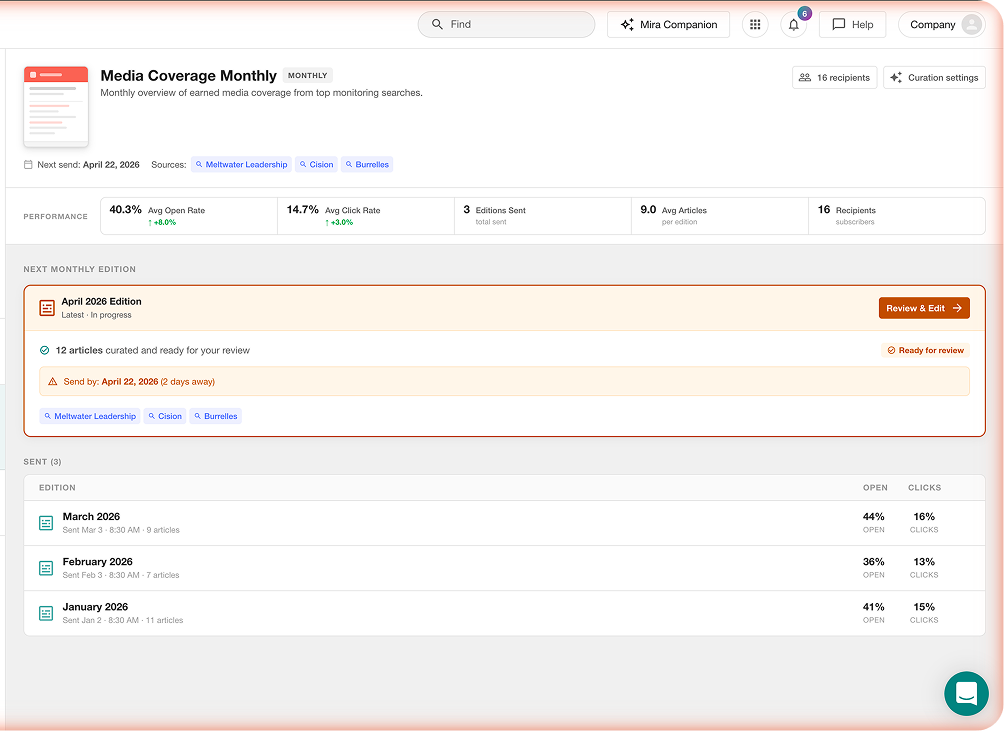
Each series has a dedicated detail page showing series-level performance, the next upcoming edition, and sent history. The “Next Edition” card is the centerpiece — it shows auto-curation progress (progress bar with percentage), source tags, and urgency cues (e.g. “Send in 2d”). For series still being curated, a progress bar shows how far AI has gotten (e.g. “23 articles curated — 35%”).
AI-Powered Newsletter Editor
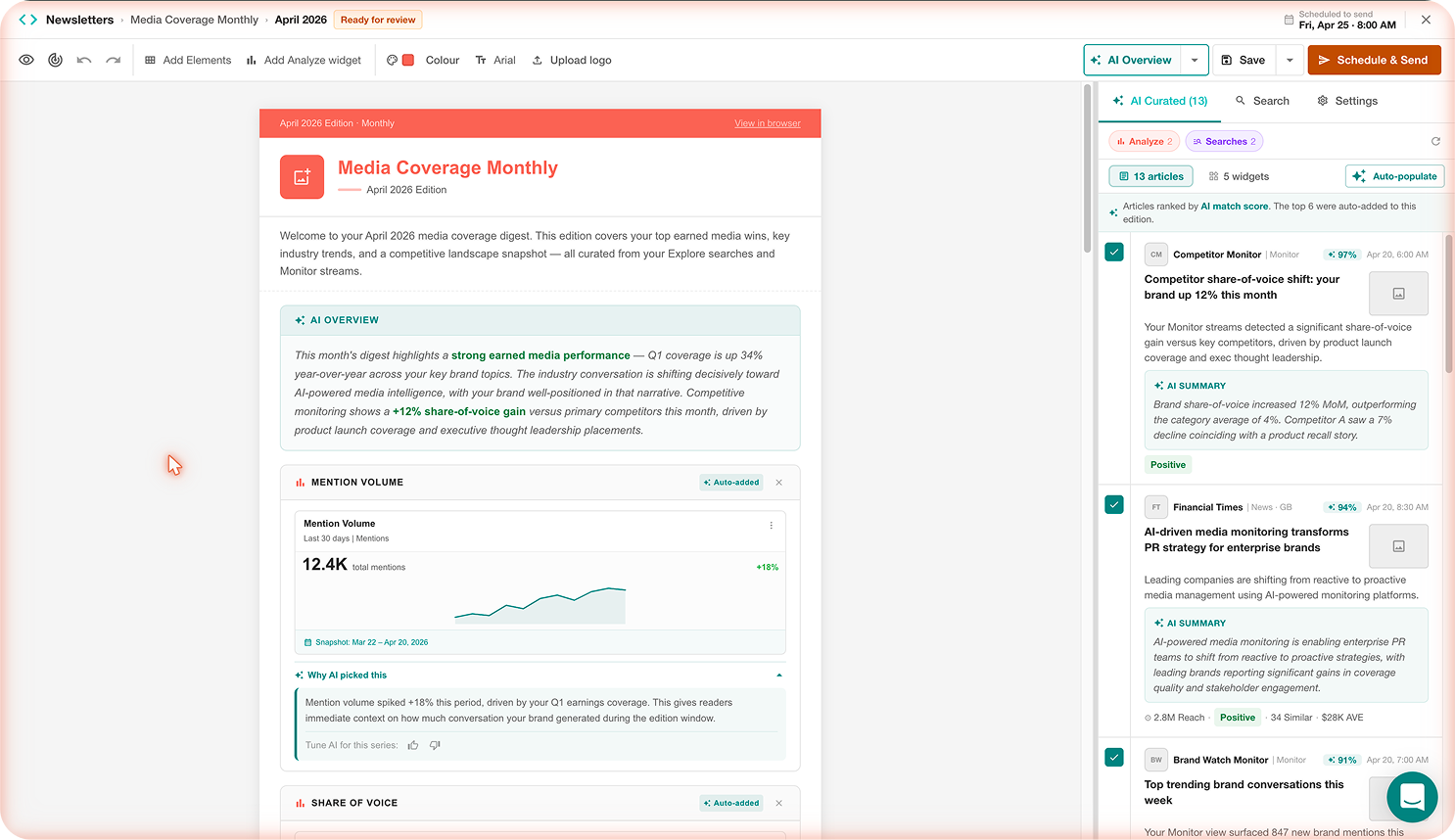
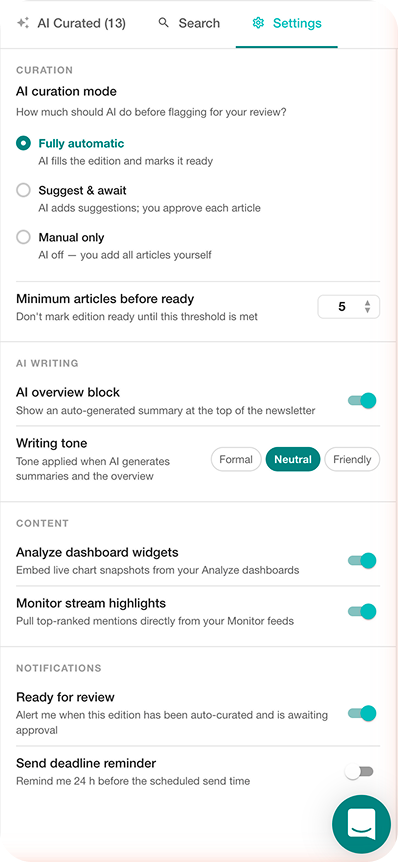
The editor is the core surface where AI meets human judgment. It features a dual-panel layout: the left panel is the newsletter canvas with live content, and the right panel is a smart curation sidebar with three tabs — AI Curated, Search, and Settings.
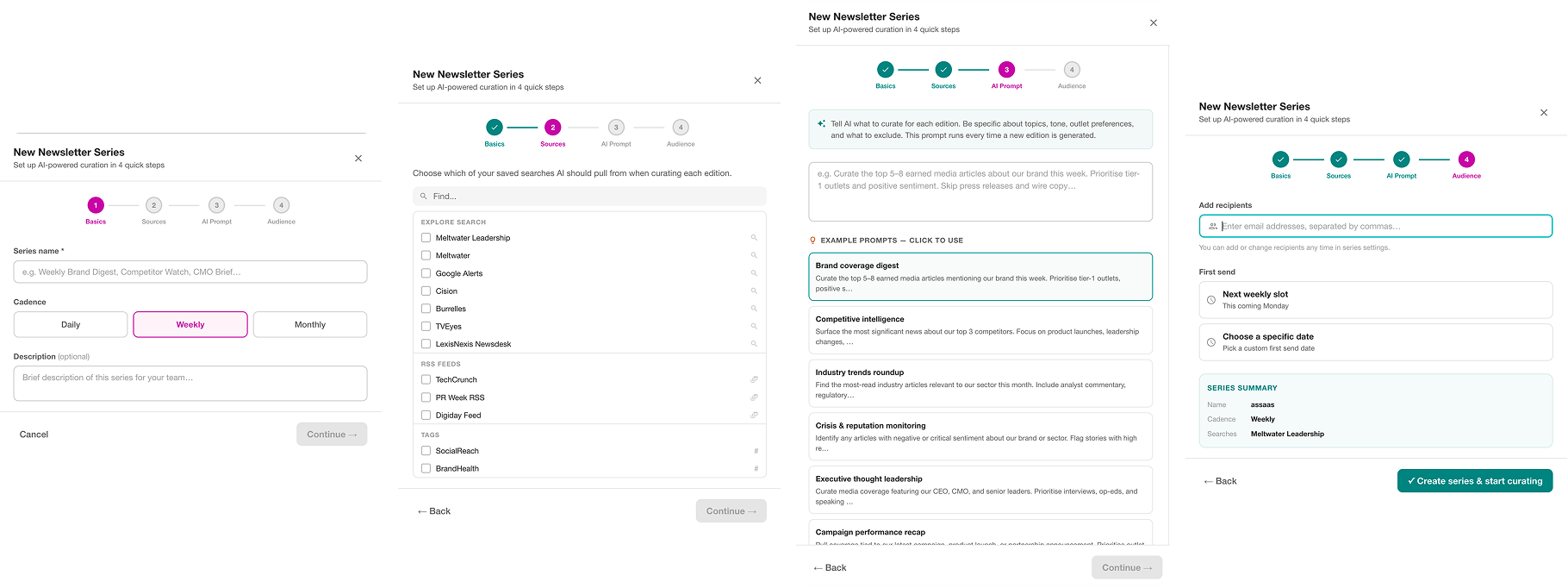
AI-Guided Series Creation Wizard
The “New Newsletter Series” flow is a 4-step guided wizard that replaces the legacy blank-template approach with a content-first, AI-configured setup.
Recipient Lists
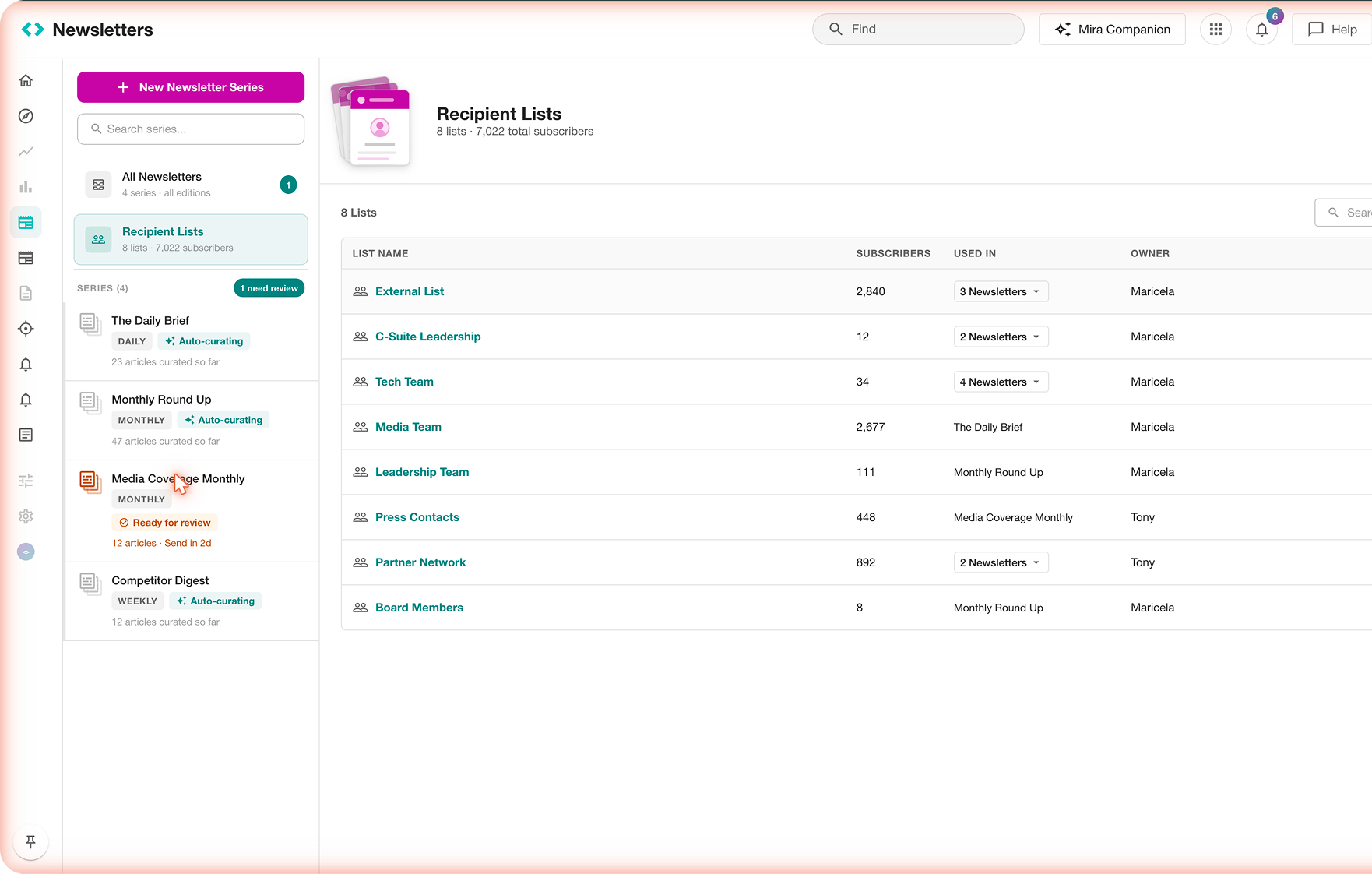
A dedicated Recipient Lists section provides a centralized subscriber management view with 8 lists, 7,022 total subscribers. Each list shows subscriber count, which newsletters use it, owner, and last updated date. Lists like “C-Suite Leadership” (12 subscribers) and “External List” (2,840 subscribers) show the range of audience segmentation supported.