Logcare
AI note-taking assistant for nurses and independent healthcare workers
What is Logcare?
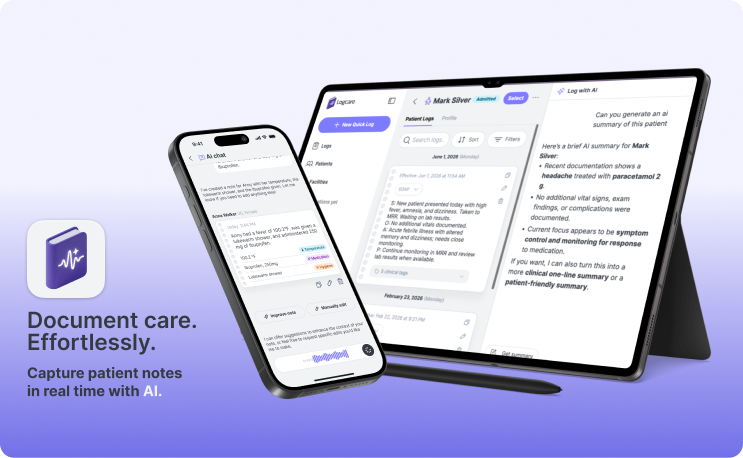
Logcare is an AI note-taking assistant for nurses and independent healthcare workers. It came to solve a real pain known as “pajama charting”. These workers don’t just take care of their patients, they also deal with heavy bureaucracy and documentation that’s key for them to get paid. That extra load increases their workload way beyond what’s expected, causes burnout, and even pushes some professionals away from pursuing a career as independent healthcare workers.
My Role
I acted as the Principal Designer on this project, taking part not only in design execution but also implementing AI frameworks, building the roadmap, reaching out to users for interviews, and crafting and executing our GTM strategy.
Using AI as a design partner
Time and budget were tight, so AI tools ended up doing a lot of the heavy lifting alongside me. Perplexity helped us research social media for real user pain points and run benchmark analysis, which shaped the product vision and strategy.
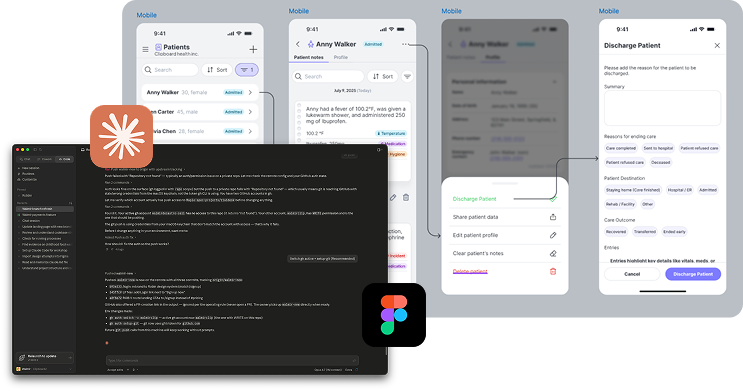
Claude Code was used to prototype straight in our staging environment, which meant I could ship working React and TypeScript instead of static Figma frames, which meant real interactions could be tested before engineering worked on them. Commits landed locally, so handoff felt less like “here’s the spec, good luck” and more like “here’s a head start, take it from here.”
AI also handled QA testing on the live product and generated detailed bug reports.

Designing for trust
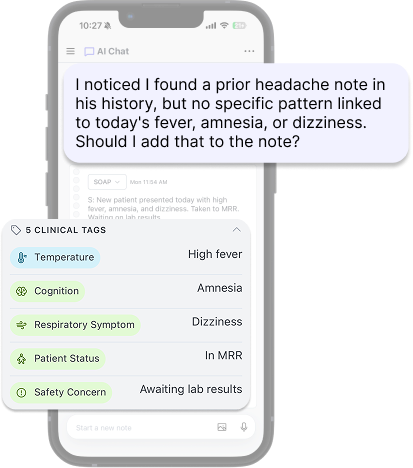
Healthcare workers can’t blindly trust an AI with clinical notes. A hallucinated vital sign or a misattributed symptom puts patient safety at risk. During initial user testings, one doctor caught the AI auto-filling normal exam findings she never said. That kind of failure can’t ship.
So a big part of the design work was building patterns that let caregivers stay in control without slowing them down, such as ThinkingDisclosure, which surfaces the AI’s reasoning before it commits to an output; and inline tag extraction, which pulls clinical entities into reviewable tagged chips as the caregiver writes. The common thread: make the AI’s work visible and reversible. That principle ended up guiding most of the product decisions downstream.
The Design Process
Initial Research and Validation
The initial concept needed to be stress-tested against competitors and user needs, identifying a differentiator that would make us stand out from other products. Perplexity helped us research social media for real user pain points and benchmark analysis, which helped us shape the product vision and strategy.
Step 02Creating a product vision and strategy
Once the pain points were validated, we formalised the product vision and strategy—highlighting user goals, the problem statement, and our differentiation from competitors.

Information architecture & Initial Mocks
Before wireframes, I mapped user journeys and built feature maps to make sure we had a proper technical scope. From there, I built the initial branding and visual identity in Figma to create a cohesive look and give us more freedom for styling certain components. The design system was built to reflect the “personal note assistant” branding.
User Testing
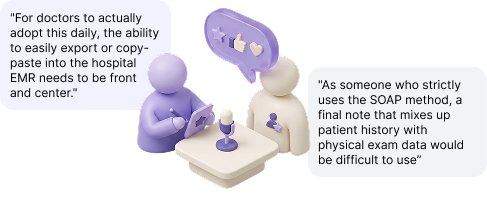
We tested the app with healthcare workers across different levels of expertise. The goal was to confirm our core user base and stress-test the AI in a real scenario. Two main issues came out: the AI had reliability problems (hallucinating clinical findings, disorganised notes) and there were critical bugs in core functions (recorder, editing, history access). Doctors saw the potential, but adoption hinged on a strict SOAP layout and a frictionless export flow into existing hospital EMRs.
Framework Shift (Claude Code)
Since we had the solid base already in code with the visual identity and design system already solid, we moved from Figma → prototype → code → implement to prototype directly in Claude → review code → implement. This was possible by connecting Claude to our staging environment, allowing us to ship much faster. Figma stayed in the mix for brainstorming and visual iterations that would take longer to express in prompts.
Beta Launch
With the fixes in, the app is now in beta. As the lead and solo designer on the team, I was also involved in crafting the GTM material—social media posts, assets, and strategy. Right now we’re exploring online communities close to our user base and marketing there.
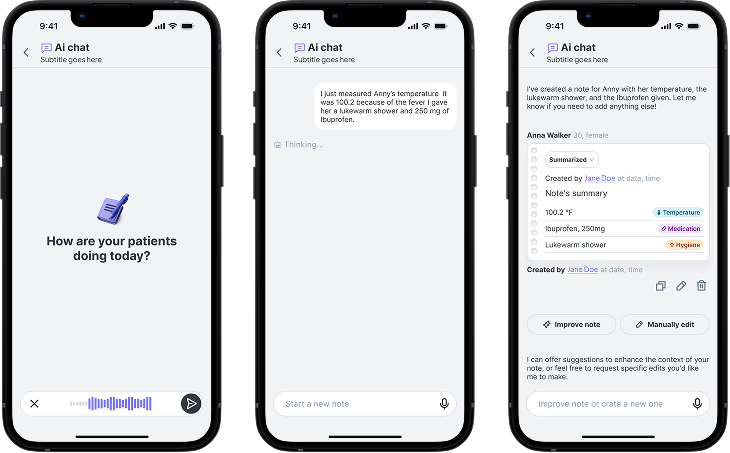
Well-organized notes structured and tagged using AI
Smart Patient and note management
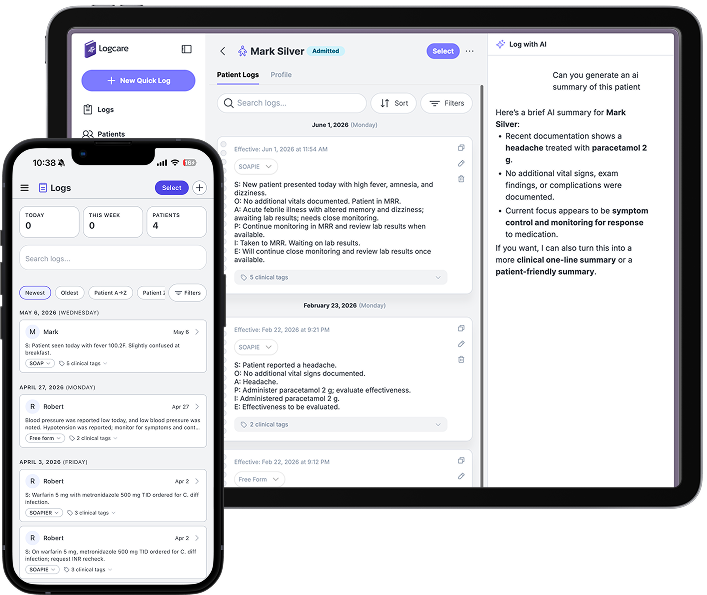
Product Demo